
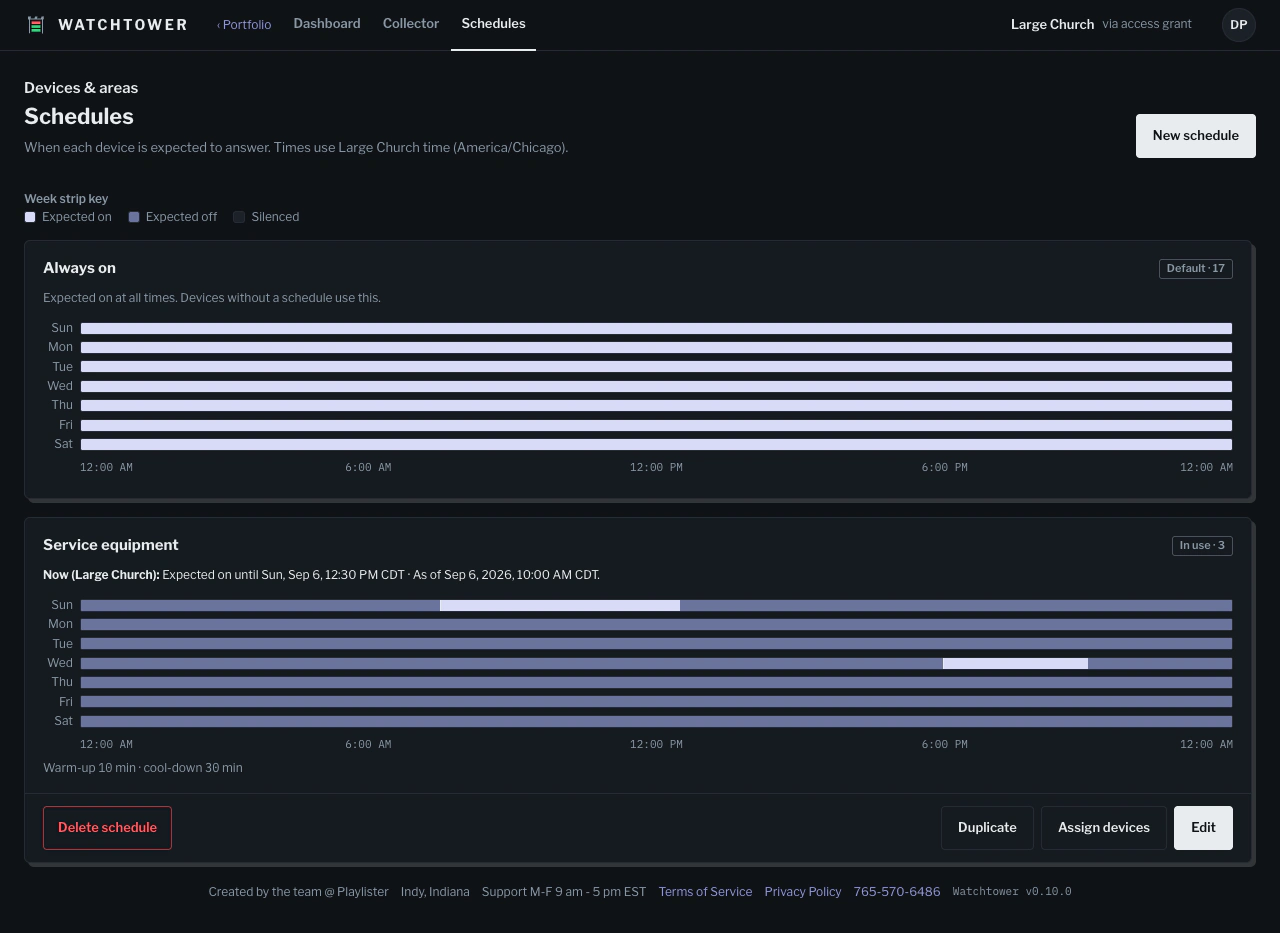
Expected on
A device should respond during this period.
- Onlineas expected
- Offlineneeds attention
Watchtower is a device inventory and live Area dashboard for church tech teams. Add your equipment, group it by room, and see what is reachable before the first service.
Start in the browser. Pair the optional macOS collector when you want current reachability checks.
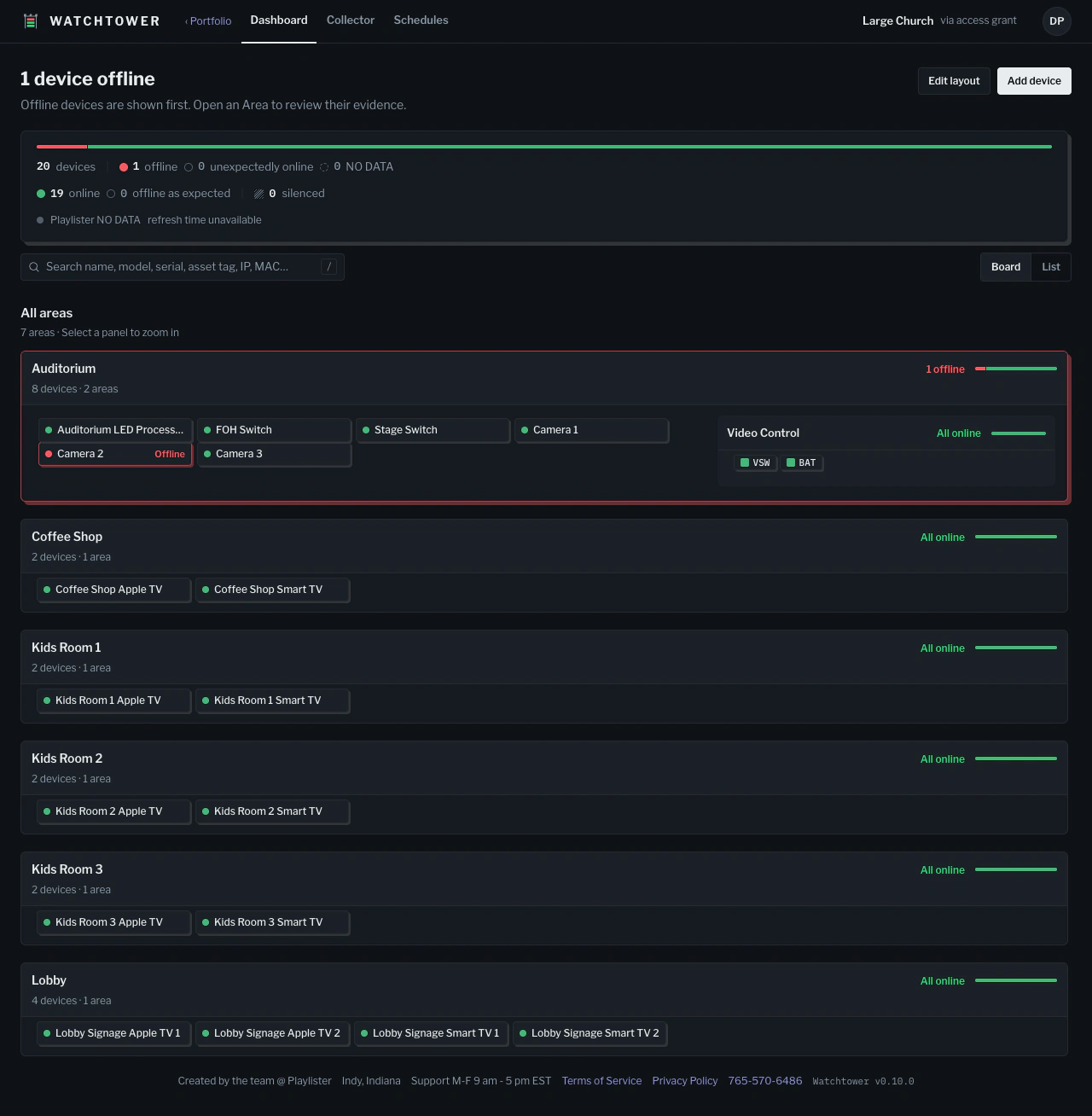
Documentation is authoritative. Observations are evidence. Watchtower keeps them side by side and never confuses one for the other.
Name, manufacturer, model, asset ID, and notes for every device. Import from a CSV with a preview step before anything is saved.
Save an IP address or a full web interface URL, with port and path. Tiles with a saved link carry a mark, and open the switch, projector, or DSP from the board.
Areas nest inside Areas: the auditorium holds FOH, stage, and cameras; the lobby holds the atrium and the cafe. Zoom into any room to see the next layer.
A TV in the booth, a desktop at the office, a phone in the hallway. Rooms keep their order at every width, and every status has a word next to its color.
Pair the macOS collector with your Organization. It checks whether devices respond over the network and reports online, offline, or NO DATA. Credentials stay in the Keychain.
Set when devices are expected to respond, be off, or be silenced. Reuse schedules across devices, add special dates, and spot results that do not match the plan.
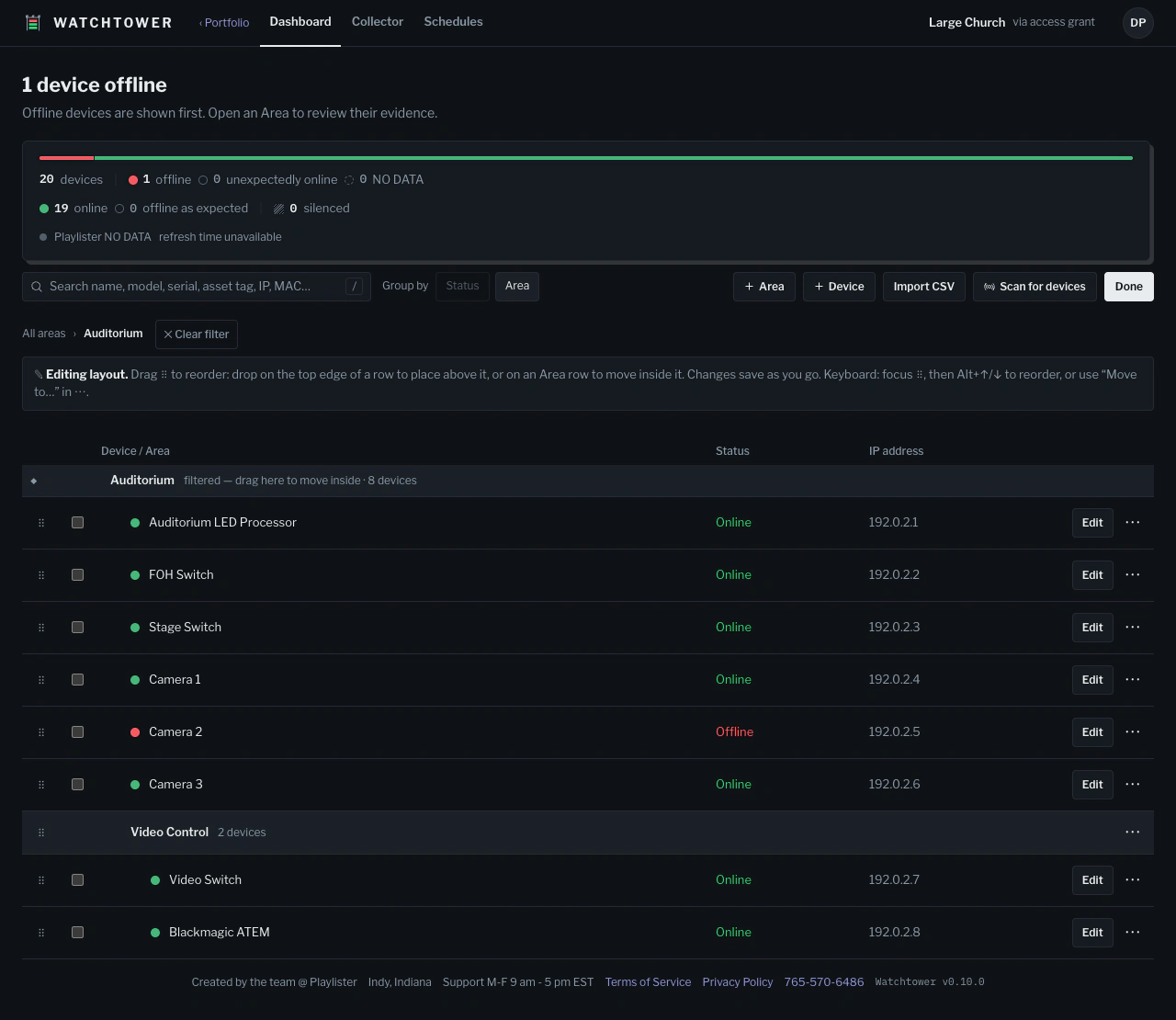
Create your free Watchtower account and your Organization.
Install the optional macOS collector and pair it with your Organization to check device reachability.
Discover devices on the network, review the results, and choose which to add to your Organization.
Create reusable schedules for an Organization, then assign a schedule to each Device. Add one-off dates and warm-up or cool-down allowances. Schedule times follow the Organization’s time zone.
A device should respond during this period.
Offline is expected; an online response is a mismatch.
No schedule mismatch is raised. Current reachability remains visible.
NO DATA means there is no current check result. It stays unknown under every schedule; it does not mean offline.
The collector checks network reachability. A response does not prove that a lamp, display, or output is operating, and Watchtower does not send power commands.
Create an Organization from your Portfolio, set up its inventory, and hand ownership to your customer. You keep access only as long as they say so.
There is a free level that includes inventory, Areas, links, and current status from the collector. Current status only: no history, no uptime reports. Paid levels are not finalized yet.
No. Watchtower is a standalone product.
Watchtower's collector is a macOS app. Check the docs for current availability and setup. Credentials stay in the Keychain.
Only if your phone can reach the church network. Watchtower stores the link; it is not a VPN or a remote-access tunnel.
Add them manually or import a CSV, then review the inventory before saving.